Folder viewer
Open a folder and browse its parts, assemblies and drawings as icons or details, with thumbnails, a folder tree, and quick filters by file type.
SolidSeas opens a folder of parts, assemblies and drawings and shows you what is in them: thumbnails, properties, bills of materials and where each part is used. Export to STEP, STL or 3MF, and read STEP, Parasolid, 3MF and other 3D formats too.
The viewer download is for Windows. The library and command line run on Windows and Linux with Python 3.11 or newer.

SolidSeas is pre-1.0 and says plainly which parts are ready and which are still taking shape.
Public names, JSON, exit codes and routes change only under the project's stability policy, apart from what the docs mark provisional.
The desktop app is an early, read-only preview. It works today and is still growing.
On, but not finished. Results may be incomplete or wrong and may change between versions, so check every drawing before you use it.
One toolkit, used two ways: a desktop viewer for people, and a library for the systems that need to read CAD files.
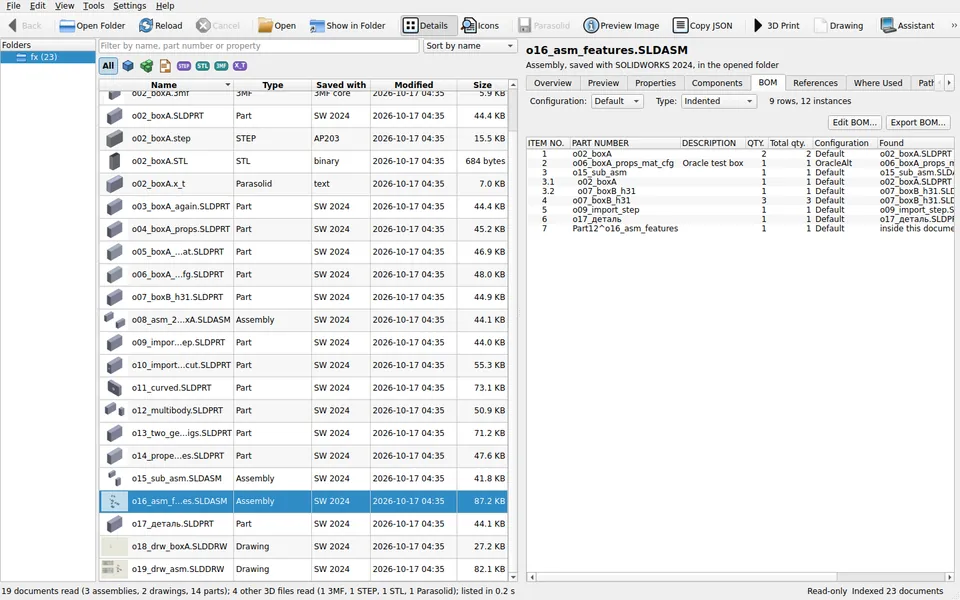
Open a folder and browse its parts, assemblies and drawings as icons or details, with thumbnails, a folder tree, and quick filters by file type.
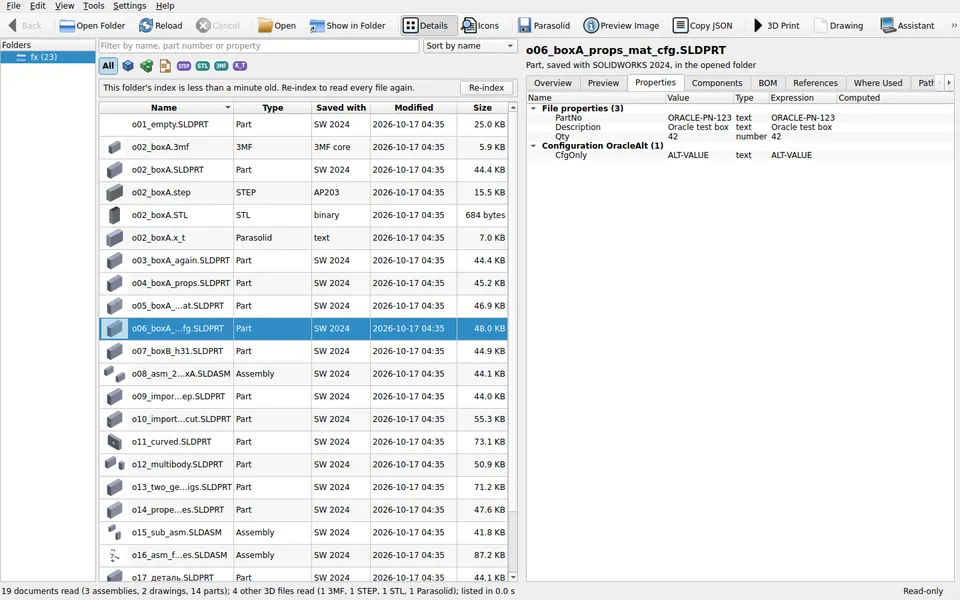
See each file's custom and configuration properties, its configurations, material and the SOLIDWORKS version it was saved with.
Top-level, parts only or indented, numbered the way SOLIDWORKS numbers them. Export the BOM as CSV for Excel and ERP imports, or as JSON.
SolidSeas indexes the folder in the background, then shows which assemblies and drawings use a part. Search by part number, description or property.
Turn, pan and zoom parts and assemblies with a view cube. Pick, hide, isolate or explode components and make a housing see-through. Off until you switch it on.
Write exact STEP for other CAD programs, or STL and 3MF for printing. 3D Print exports a part and opens it in Bambu Studio, OrcaSlicer, PrusaSlicer or UltiMaker Cura.
Make a dimensioned drawing of a part, with views, hole callouts, notes and a title block, saved as a drawing file with a PDF and a DXF.
Import the Python library, script the solidseas command (every command prints JSON), or run a local REST service on 127.0.0.1 for other systems.
Use SolidSeas from a chat in Claude Desktop or Claude Code, or have the assistant draft changes with the AI provider you choose. Nothing runs until you press Run.
Add only what you need: Gridfinity bins made from a photo of your tools, video export, and the CAD Bridge, which works with your own SOLIDWORKS installation.
STEP, Parasolid, STL, 3MF, OBJ, PLY, OFF, glTF, AMF, ACIS and Alibre Design files are listed, previewed and exported beside your SOLIDWORKS files.
Everything runs on your computer. The viewer is read-only, never changes your files, and needs no account and no internet connection.
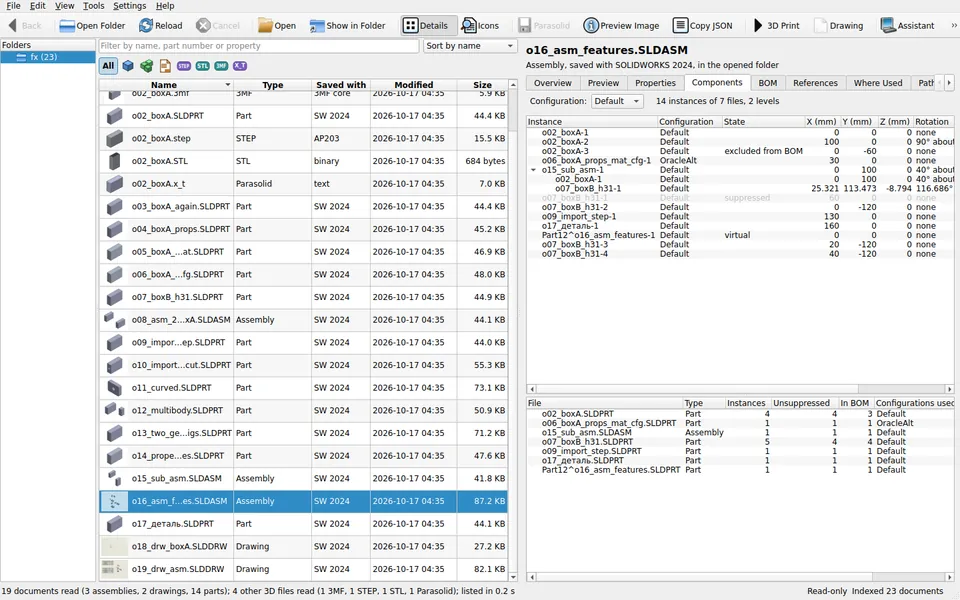
The details panel shows a document's components with their positions, its bill of materials, and every file that refers to it.
SolidSeas is free and open source, built and maintained by Syracuse 3D Printing. If it saves you time, you can buy the developer a coffee. Bug reports, file format findings and pull requests help just as much.